Futures
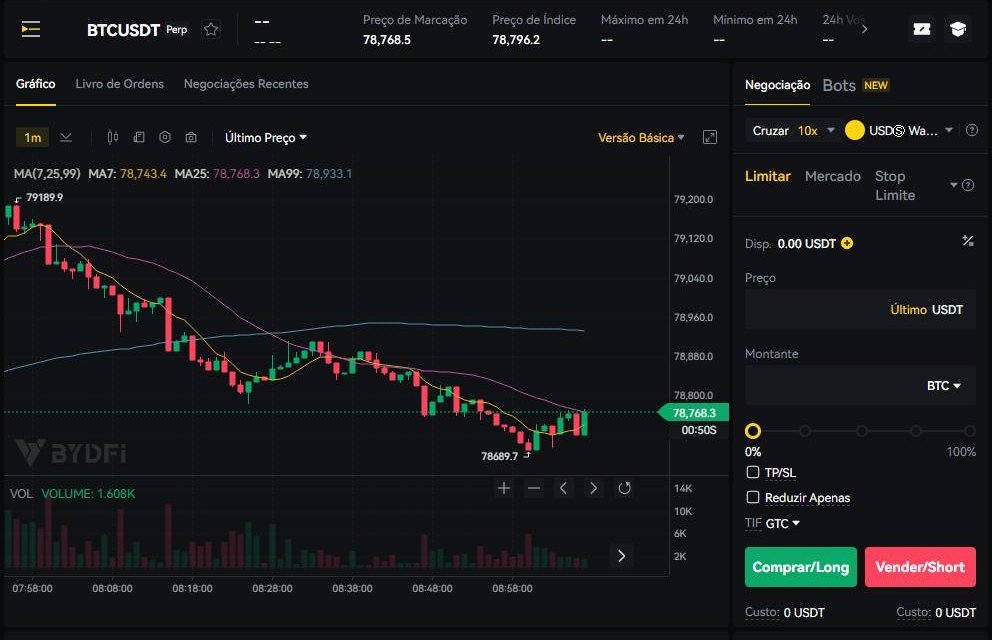
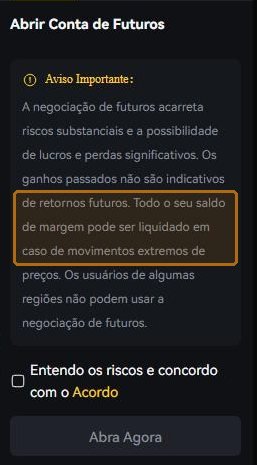
Futures looks like the same screen and is a different product. Here you do not buy the coin: you bet on the direction of the price with borrowed money, and there is a point where the exchange ends it all without asking.
You will know how to work out, before opening, where your position would be liquidated.
Renato UlianovNarration over the screen
Margin, leverage, liquidation
Margin is your money parked as collateral. Leverage is how many times bigger the position is than that collateral. Liquidation is the moment the collateral runs out and the exchange closes the position — automatically, without warning and without consulting you.
The three sit in one sentence for a reason: at N times leverage, a move of 1/N against you eats the whole margin. At ten times, ten per cent. Not an extreme case: arithmetic.
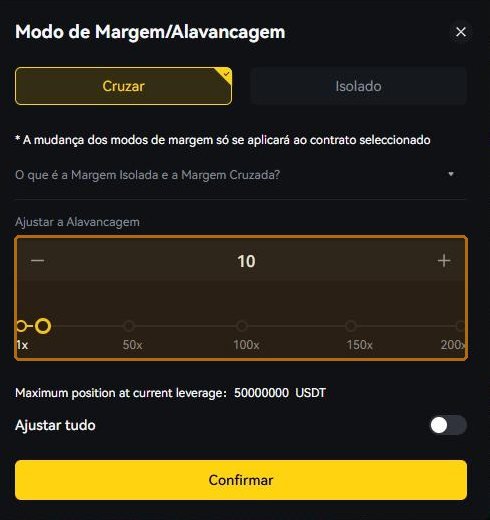
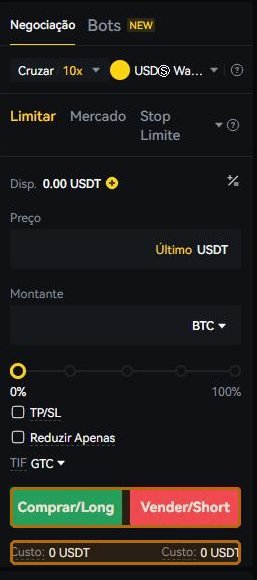
Look at the bar on the screen itself: it runs from 1× to 200×. At the right-hand end, half a per cent against you eats the whole margin — and half a per cent, in crypto, happens while you read this sentence.
How much of the account is at risk
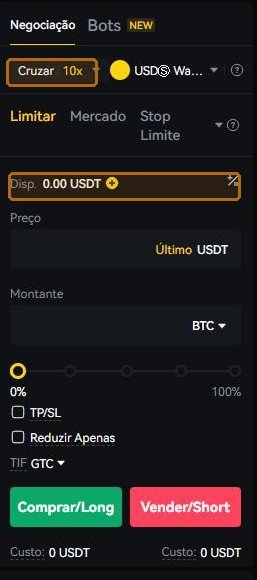
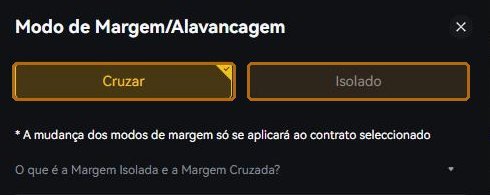
In isolated mode, the collateral for that position is only what you set aside: the worst case is losing that. In cross mode the whole wallet balance backs it — the position survives longer, and the worst case is far bigger.
For a beginner, isolated is the mode that caps the damage at a number you chose on purpose.
Both modes live in the same leverage box, and the change applies only to the contract open on that screen — switching here does not switch it on the other pairs.
Mark price, not the last trade
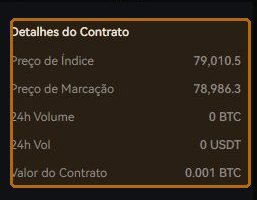
Liquidation does not look at the last traded price: it looks at the mark price, computed from an index across exchanges. It is a protection — it stops a lone wick in a thin book from liquidating everyone — and it is also why a position sometimes closes at a price you never saw on your screen.
Both numbers sit side by side at the top. Worth reading both.

TP/SL and reduce only
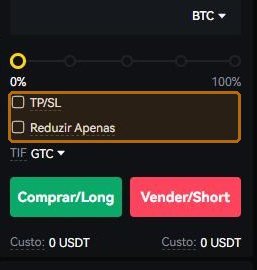
The form lets you set the exit together with the entry: TP/SL is the price where you want to leave winning and the price where you accept leaving losing. Deciding that beforehand, calmly, is the difference between a plan and a reaction.
Reduce only guarantees that the order can only shrink the position — never accidentally open a new one on the opposite side.
Read the contract
Every contract has a minimum size and a value per unit, and that defines the smallest step you can trade. It is written in Contract Details, at the end of the form — and it is the difference between opening the position you meant and a much larger one.
High leverage “just to test”. The test is exactly what liquidates, because the margin is small.
Not knowing the liquidation price. If you cannot state that number before opening, do not open.
Confusing the position with the coin. In futures you hold no bitcoin: you hold a contract on its price.
- I can say, in one sentence, what margin, leverage and liquidation are.
- I know where my liquidation price would sit before opening the position.
- If either answer is “more or less”, it is still time to stay on spot.
Every screen on the exchange has Customer Support in the footer, and the Help Centre has self-service for the three things that most often get stuck: resetting the password, finishing verification and re-doing the two-step app. If none of that solves it, the written channel is cs@bydfi.com. Do not guess: a ticket costs ten minutes, a guess can cost the account.